

Scenario for this page: Uno card game (12 bought at $8.00 each). Ello Pop & Fill bottle (8 sent to Amazon, never recorded as a buy). Find them in the demo store under Purchases, and the bottle on Purchases > Import from Amazon.
- At your computer, after you buy: Record Purchase on the Purchases page.
- On an Amazon product page: Add purchase in the Chrome extension.
- In a store, with your phone: Record Purchase in the phone app.
- You sold on Amazon before you joined: Import from Amazon.
- You kept your costs in a spreadsheet: upload your buy sheet.
On the Purchases page
Example: you bought 12 Uno card games online for $8.00 each.1
Open the sheet
Go to Purchases and click Record Purchase.
2
Pick the product
Type “Uno” in Find or add: ASIN, name or brand. Pick the game, then click Next.
3
Type the cost
Set the count to 12 and type 8.00 in the cost box. The total fills in as 96.00.
4
Save
Click Record 1 purchase.
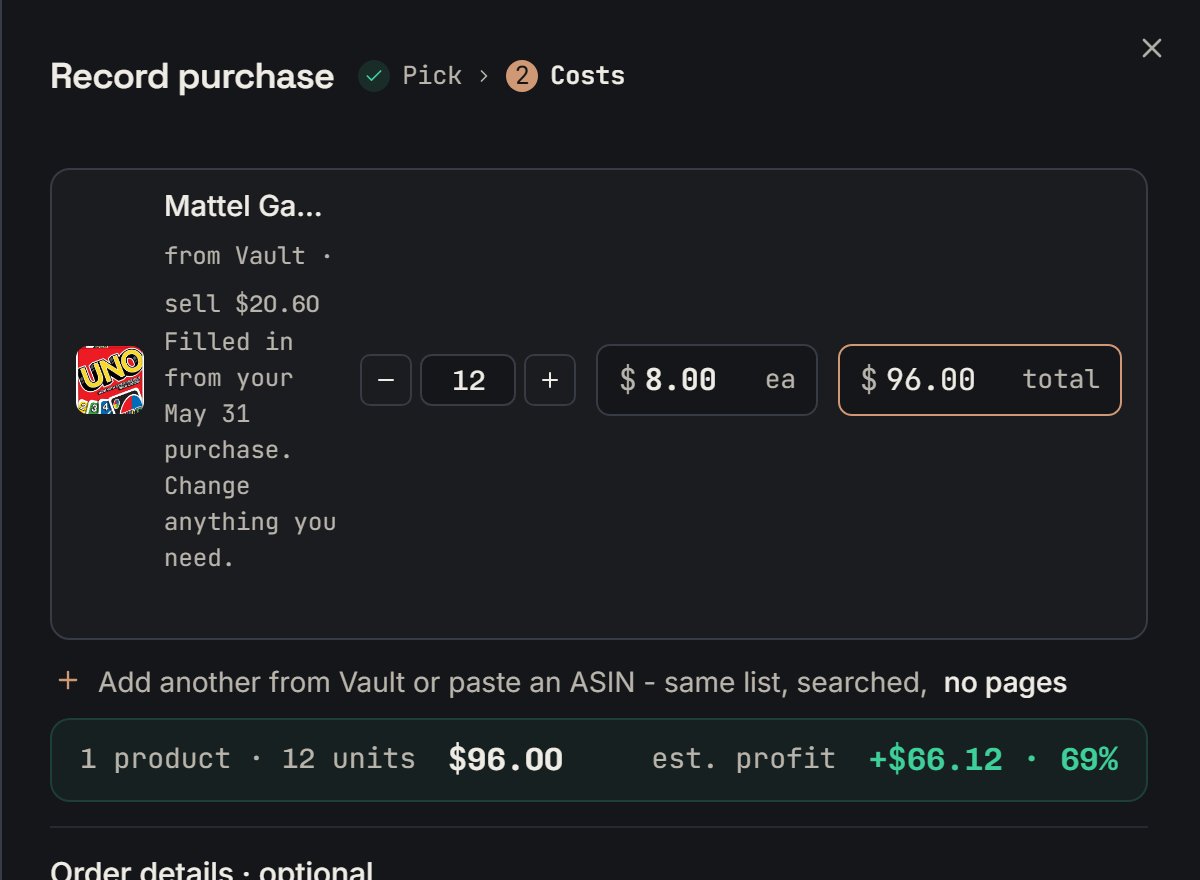
Uno card game: step 2 of the Record purchase sheet. Notice 12 units at $8.00 each make $96.00 in the bar at the bottom.
In the Chrome extension
Example: you are on the YETI Rambler mug’s Amazon page. You just bought 10 at $16.00 each.1
Open the form
Click + on the product. Its hover says Add to Purchases. You can also open the Purchase tab.
2
Fill it in
Type 10 in Quantity and 16.00 in Cost per unit. Add the Store name and Order number if you like.
3
Save
Click Add purchase. The panel says Added to Purchases.
On your phone
Example: you are in a store and buy 10 Aurora whale shark plush toys at $8.00 each. Open Purchases in the phone app. Tap + next to the search box, then Record Purchase. It is the same sheet as on a computer.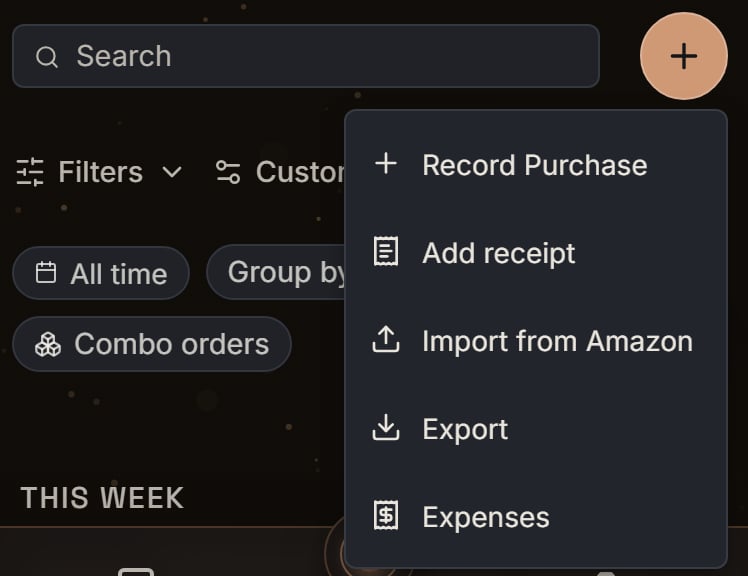
Demo store: the phone app's + menu on Purchases. Notice Record Purchase is first, then Add receipt.
Import from Amazon
Example: you sent 8 Ello Pop & Fill bottles to Amazon, but never recorded the buy. Go to Purchases > Import from Amazon and click Scan my history. SourceDock reads the boxes you sent to Amazon and lists the products no purchase has yet. Then it makes a purchase for each one. Amazon keeps about 18 months of boxes, so older buys need Record Purchase.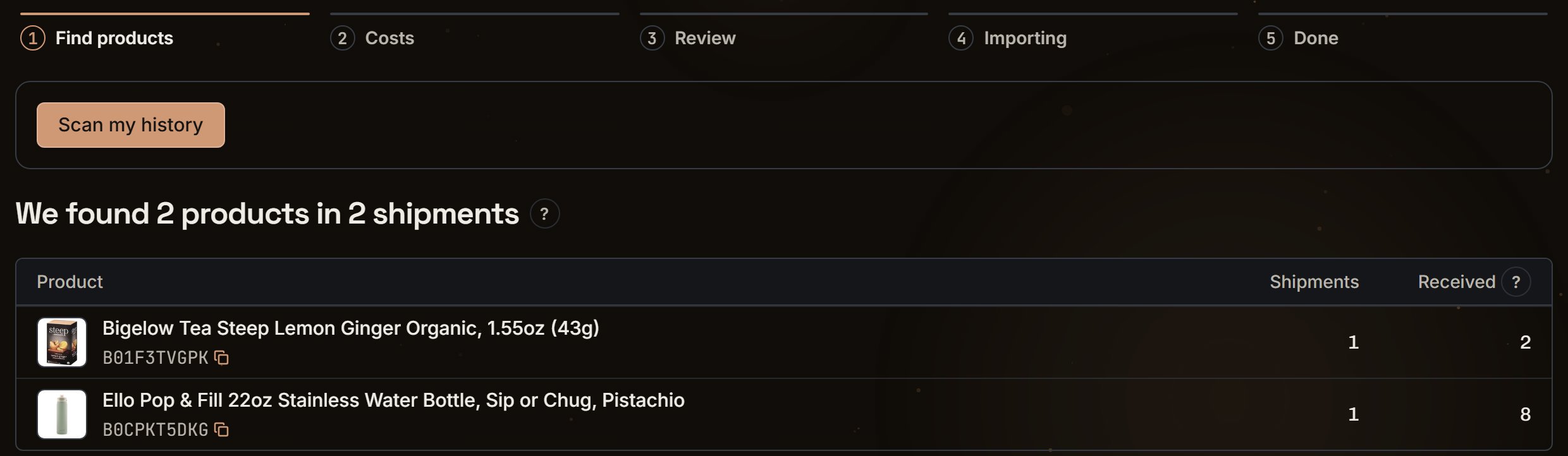
Ello Pop & Fill bottle: the first import step in the demo store. Notice the scan found the 8 bottles, in 1 shipment, that no purchase has yet.
Upload your buy sheet
A buy sheet is the spreadsheet where you wrote down what you bought and what you paid. Example: you imported 12 Monster Jam 4-packs, and they came in with no cost. Your sheet has a row for 12 at $10.00 each.1
Open the upload
On Purchases > Import from Amazon, click Upload buy sheets. When no purchase needs a cost, the same button says Update costs from your buy sheet. Or on Purchases, click Cost needed, then Add costs from your file.
2
Drop the file
Add your .csv or .xlsx file. SourceDock finds the 4-pack’s row by its ASIN, SKU, UPC, or name.
3
Check and save
The 4-packs get $10.00 each. Products your sheet doesn’t cover still show Cost needed.