

In short
Your costs and goals live in one place. The Vault, the Chrome extension, the phone’s Profit calculator and AlphaChaser all use them, so one product shows the same profit everywhere. When you buy it, SourceDock follows it from Purchases to Sales and Capital Recovery by itself. Say the demo store’s blue hair dye costs $6.91. With the demo store’s goals (30% ROI and $5.00 profit), every screen says the same thing: $4.51 profit, 65.3% ROI, and pay at most $6.42.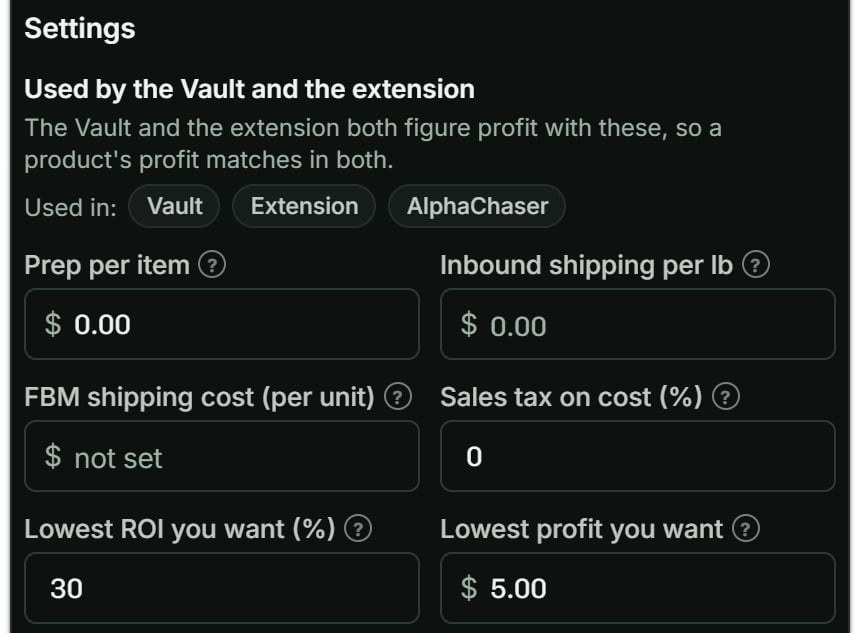
The settings every profit uses. Notice Used in: Vault, Extension and AlphaChaser.
More details
1. Your costs and goals
1. Your costs and goals
2. The Vault
2. The Vault

The hair dye's Vault row. Notice the Cost, $6.91, and its B grade.
3. The Chrome extension
3. The Chrome extension
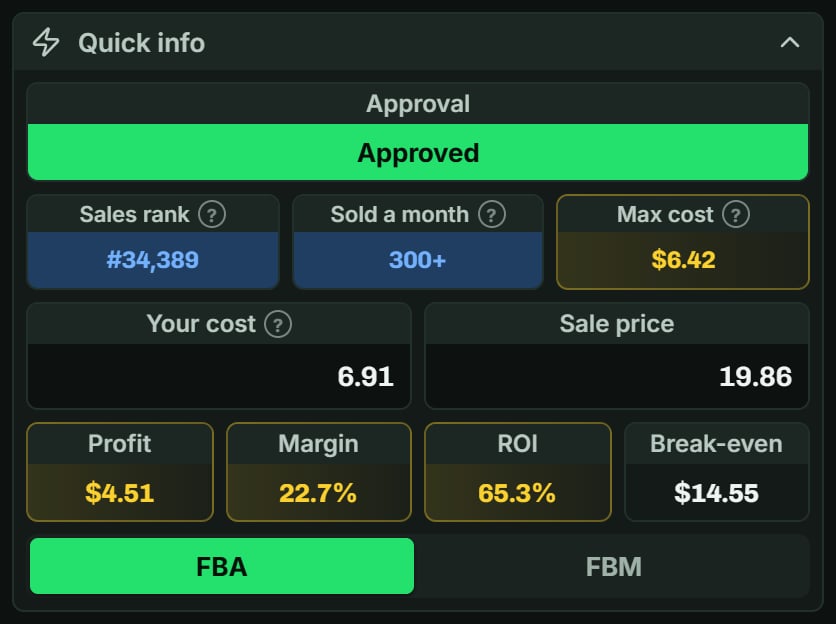
The hair dye in the extension. Notice Profit $4.51, ROI 65.3% and Max cost $6.42.
4. The phone's Profit calculator
4. The phone's Profit calculator
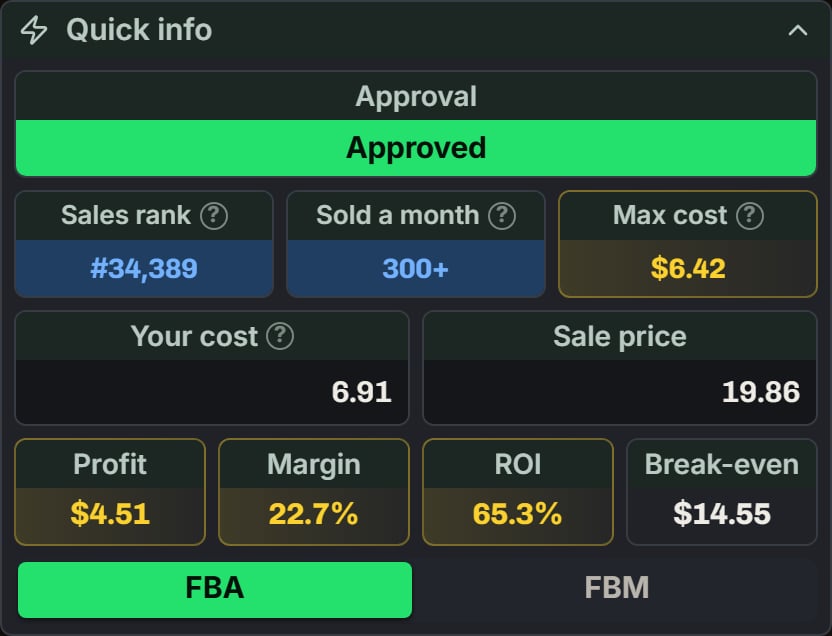
The hair dye in the Profit calculator. Notice Your cost 6.91, the same Profit, $4.51, and Sold a month 300+.
5. AlphaChaser (Beta)
5. AlphaChaser (Beta)
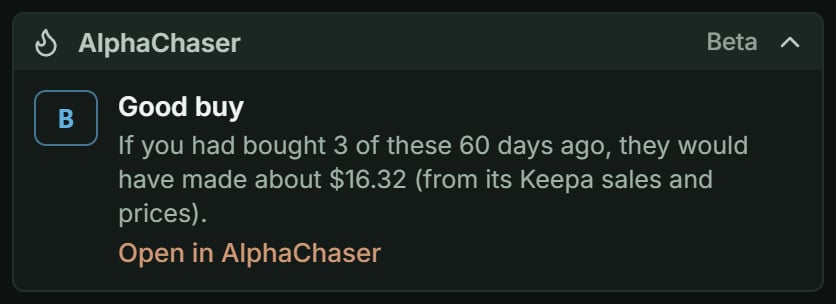
The hair dye's AlphaChaser grade in the extension. Notice B, Good buy.
6. You buy it: Purchases
6. You buy it: Purchases

The DOS card game in Purchases. Notice 40 units, Sent to FBA, and $400.00, which is $10.00 a unit.
7. It sells: Sales
7. It sells: Sales

The DOS card game in Sales, this month. Notice 29 sold, $725.00 in sales and $188.50 net profit.
8. Your money comes back: Capital Recovery
8. Your money comes back: Capital Recovery

The DOS card game in Capital Recovery. Notice 36/40 sold, $578.70 back, and the Reorder tag.