

In short
Some lines in Details say Can’t claim: Amazon doesn’t pay for them. Say Amazon moved stock to “unsellable” as expired or defective. Amazon doesn’t pay for that, so its line says Can’t claim. Expected a claim, and it isn’t there? Its window may not be open yet. Amazon may have paid on its own, so look in Paid out. Or it may be past its last day, so look in CLAIMS under See details →.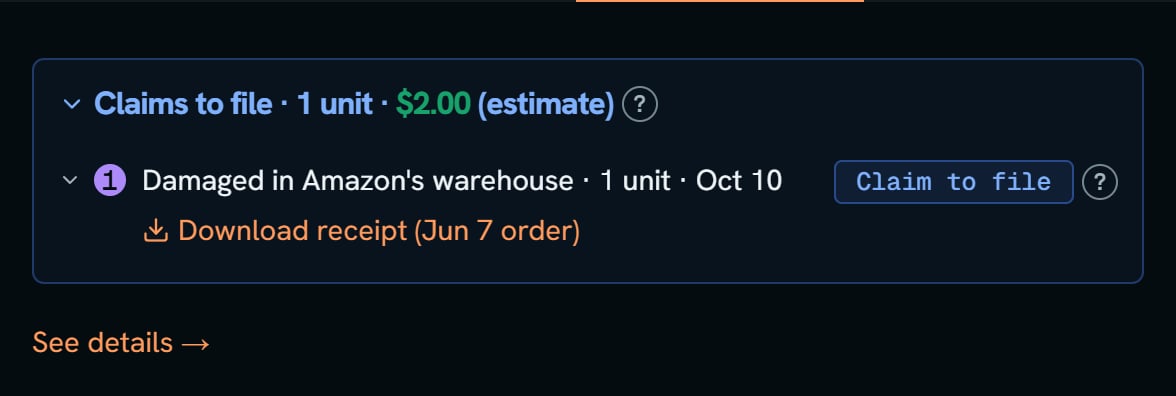
Plush whale: Issues and claims in Details, where each line carries its tag.
More details
Every Can't claim line
Every Can't claim line
- Carrier damage is a claim to file, not Can’t claim, unless Amazon’s records give no day for it.
- Orders shipped by you, not Amazon: in the US, a refund on one is Needs a look for 30 days, because Amazon’s SAFE-T program may pay for it. After that it’s Can’t claim. In Canada and Mexico it’s Can’t claim.
- Found at Amazon: units none of your purchases cover. That’s a purchase missing from your books. Add it in Purchases.
- “Amazon’s fees used up all the money from this sale, so there’s nothing to get back.”
- “Amazon gave you a unit back in your stock for this order, so there is nothing to claim.”
- “Amazon paid you for these, then put them back on sale. Amazon may take the money back.”
A claim you expected, or numbers that don't match
A claim you expected, or numbers that don't match
- A unit Amazon is still looking for waits 30 days before it’s a claim.
- The numbers don’t match Seller Central? Open SHIPMENTS or EVENTS under See details →, then the Inventory ledger link, and compare line by line.
- The money says Cost needed? Add the cost in Purchases.
- Want a claim gone? You can’t hide a claim, the way you can hide a row on Alerts. Next moves you past it. It goes away once you file it, Amazon pays, or its time runs out.
- Amazon asked for an invoice? Open the Documents tab on the claim, add your receipt, then reply on the case.
Ask Jax
Ask Jax
Jax answers from this product’s own numbers. Click a starter, or type your own question in Ask Jax about this product. The starters are Why is this flagged?, Where do these numbers come from? and What should I check first? Questions that work well:
- “Which shipment is this from?”
- “When did Amazon log this?”
- “Has Amazon paid anything for this product?”
- “What proof will Amazon ask for?”
- “Can you make the claim message shorter?”