

In short
Press FBM to see your profit if you ship it yourself. The sale price becomes the lowest offer from a seller who ships it, and a Your shipping box shows. Say the lowest seller-shipped offer is $20.00, and you type $3.00 for shipping. Profit is $20.00, minus $3.00 referral, minus $3.00 shipping, minus your $8.00 cost, $0.50 prep and $0.64 tax. That’s $4.86, and ROI is 60.8%.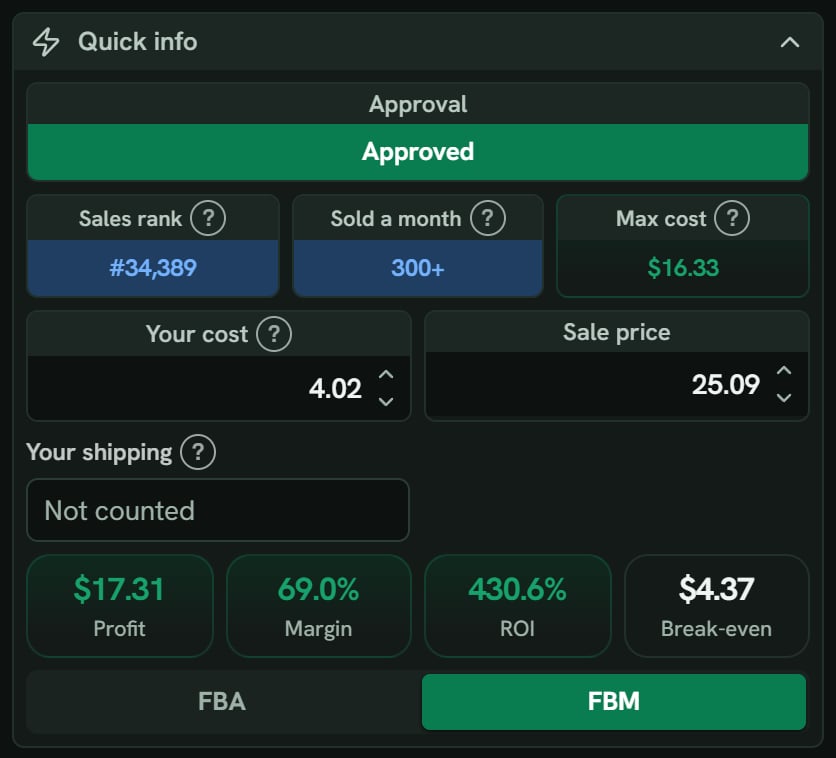
Hair dye: Quick info after pressing FBM. Notice the sale price moves to the lowest seller-shipped offer, $25.09, and Your shipping shows Not counted.
More details
Your shipping
Your shipping
Left blank, it uses your FBM shipping cost (per unit) from Settings. With none saved, shipping is $0.00, and the box says Not counted. Profit still shows, so type your shipping.
Which fees change
Which fees change
FBM drops the fulfillment fee, storage, placement, and inbound shipping. It keeps the referral fee, a closing fee, your shipping, prep, and tax. A $0.00 Closing fee line still shows.You get is $20.00, minus $3.00, minus $3.00, so $14.00. Max cost uses the same two goals, with prep and your shipping as the extras.
The switch stays
The switch stays
The FBA / FBM switch is saved to your settings. FBM stays on for the next product, and Find’s rows use it too, until you switch back.
Canada, Mexico and the UK
Canada, Mexico and the UK
FBM profit is in that store’s own money, like CA$ or £, with Amazon’s own FBM fees for that store. Your saved FBM shipping cost (per unit) is in US dollars, so SourceDock changes it at the European Central Bank’s rate for the day. A shipping cost you type for one product is used just as you typed it.If there’s no rate yet, the box says No rate yet, and the panel says Type the shipping for this product. The saved US$ amount can’t be changed to this store’s money yet. It never counts the shipping as $0.