

In short
The Vault is your list of products you might buy. When a scan is done, click Save to Vault on a row. Every row with an ASIN can be saved, whatever its verdict. A product you saved before says In your Vault.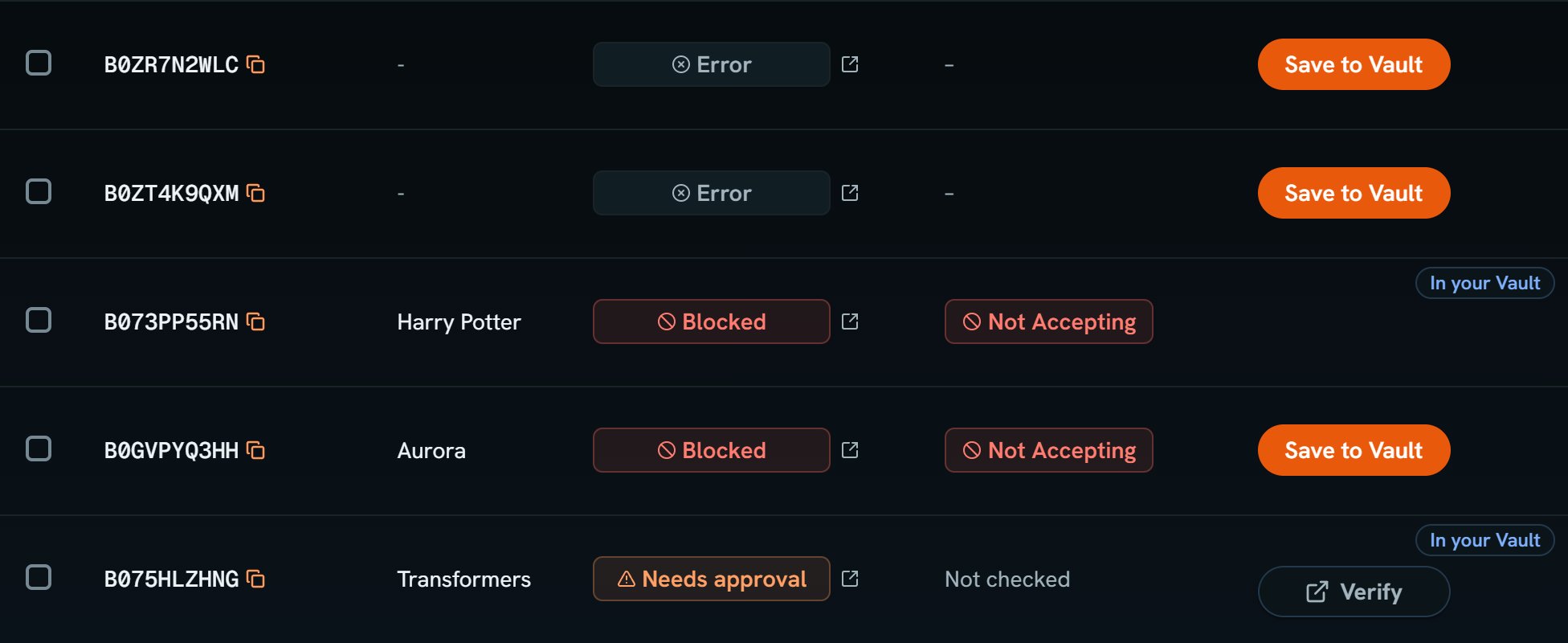
Scan of 12: the Action column. Notice Save to Vault on the Error rows and on one Blocked row, and In your Vault on rows the Vault holds.
More details
Save many rows
Save many rows
1
Pick the rows
Click Approved beside the filter, then tick the rows you want. The box at the top ticks every row on the page.
2
Click Save to Vault
The button sits before Open in Keepa and Export. With rows ticked, it says how many it will save.

Scan of 12: every row ticked. Notice Save 3 to Vault: the 9 rows your Vault holds are left out.
Add your cost
Add your cost
Saved rows come in without a buy cost, since only you know what you paid. Open the Vault (press V) and click a row’s Cost to type it. Until then, the Vault shows no profit or ROI for it.
From the Vault to a scan
From the Vault to a scan
Going the other way, From Vault picks saved products for a new scan. See Add your ASINs.