

In short
Some units never sell. A write-off tells SourceDock what happened, so your numbers stay true. Say 2 of the 10 toys never come. In Record what arrived, under that product, click Resolve 2 missing…. Pick what happened, how many, and save.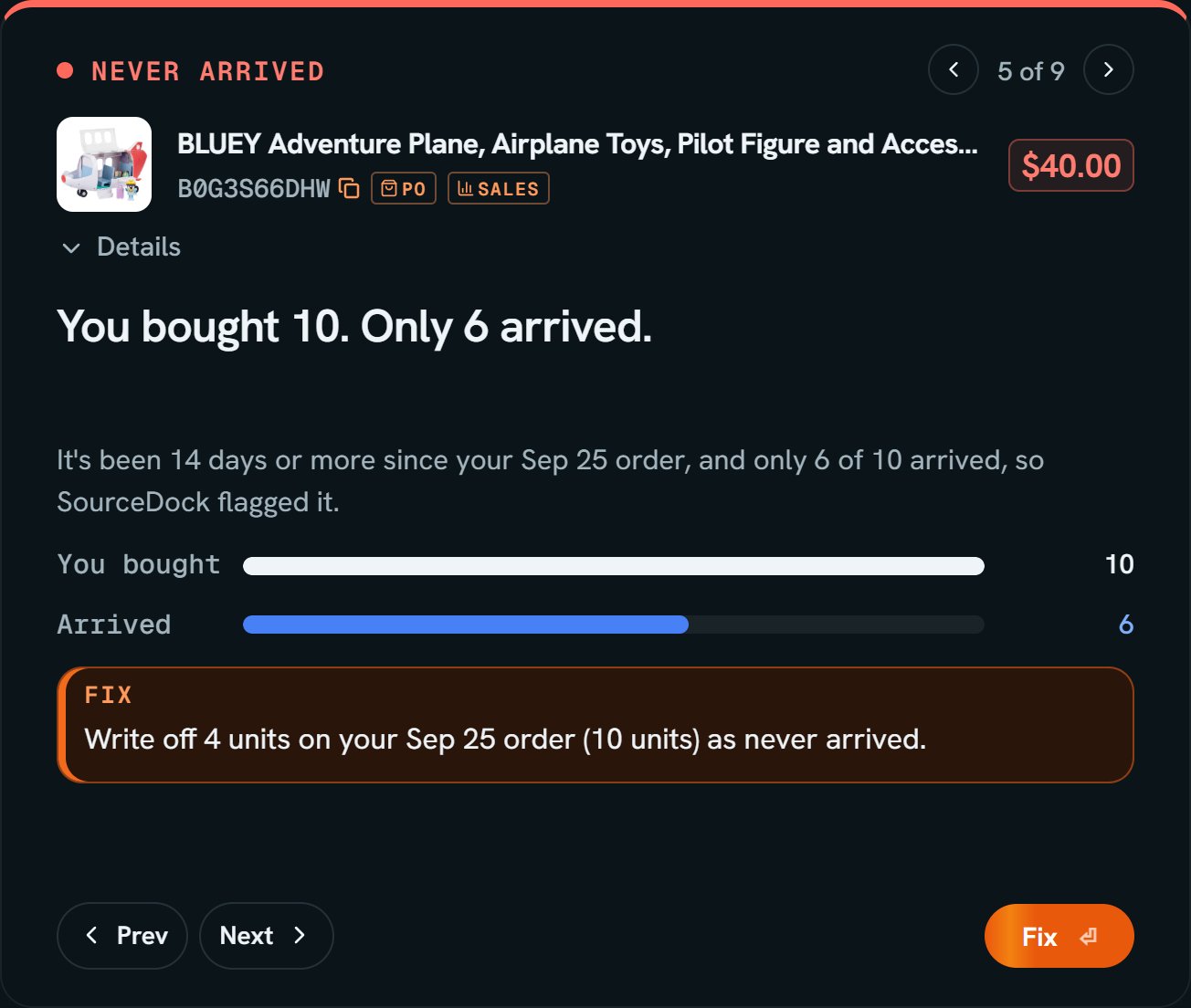
Bluey adventure plane: its Never arrived card on Reconcile. Notice You bought 10. Only 6 arrived., and the fix to write off 4.
More details
Where to start one
Where to start one
- Resolve 2 missing… in Record what arrived. When no units are still out, the same link says Report lost units…. Both open the same box with every reason.
- Write off in the row’s … menu. It starts on a reason that fits the order. Change it if it’s wrong.
- Fix on a Never arrived card on Reconcile.
What happened
What happened
The Write-offs tab
The Write-offs tab
The columns are Date, Product, What happened, Units, Cost, Refunded, and Net. Net is the refund minus the cost.A store refund can come later. Click Refund received and type the units and the money. Cancelled orders waiting on the store are on Cancel an order.
What it does to your profit
What it does to your profit
A write-off changes Expected Profit and Current Profit. See Cost and profit.