

In short
You can share Desk, Alerts, Vault, Scanner, Scout, Purchases, Recovery, Health, and Sales. A page your plan doesn’t have can’t be shared. Purchases has two levels. Full lets them add and change purchases. View only lets them see your purchases, but not change them. Say your helper only checks that orders came in. Turn on Purchases, and pick View only. Record Purchase is gone for them, and Export sits in its place.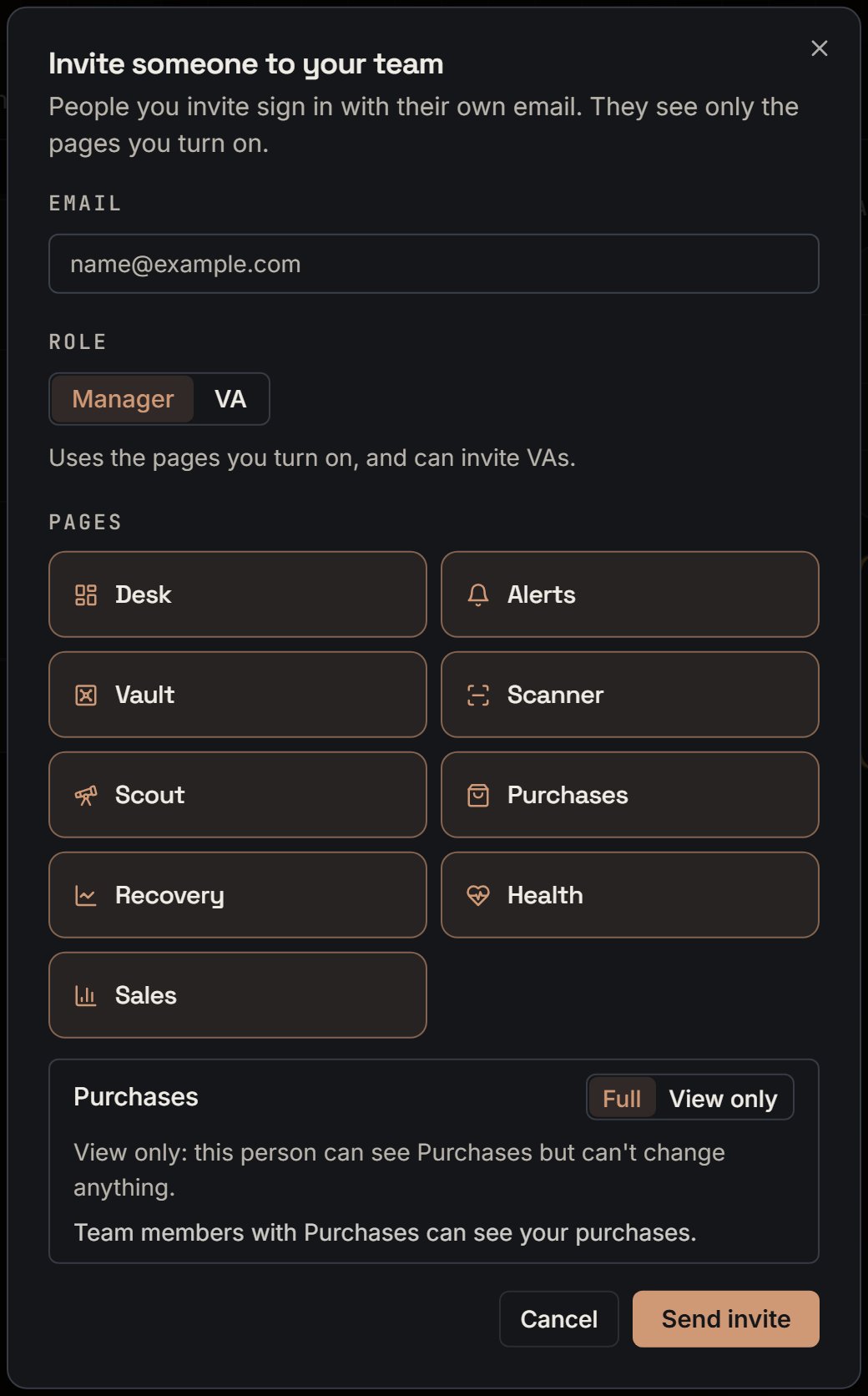
The invite box with Manager picked. Notice every page turns on, and Purchases shows Full and View only.
More details
View only on Purchases
View only on Purchases
A line at the top says You can view Purchases but not change it. The Import from Amazon and Reconcile tabs are hidden. Write-offs stays. If a change is tried anyway, it says You can view this page but not change it.
Purchases without the Vault
Purchases without the Vault
Say a helper has Purchases at Full, but not Vault or Recovery. They can record a purchase from your Amazon store, or type an ASIN. Your Vault stays hidden from them, and the product still joins it by itself.Team members with Purchases can see all your purchases, with the same numbers you see.
Expenses
Expenses
It isn’t a switch. A helper gets it with Sales or Recovery, on a plan that has either one. See Expenses.
On the phone
On the phone
Calculator goes with Vault, and Box photos goes with Purchases. They aren’t extra switches. A View only helper sees You can view Purchases but not change them, so you can’t add photos.
What a helper never sees
What a helper never sees
While they work in your account, they never see Billing, Connections, Reports, Features, or Danger on the Account page. They see Profile, Team, Security, Sessions, and Badges. Only you can connect Amazon, change your plan, or delete the account.On Profile, a helper sees the SourceDockIQ (Chrome extension) card and Sync purchases to Google Sheets. It says Connected. or Not connected. The account owner can turn it on in Connections.