

In short
The phone Desk shows the same figures as the website’s Desk, one card above the other. A line under the greeting tells you what matters most, like “6 alerts need you today.” or “$52.00 is waiting to come back.”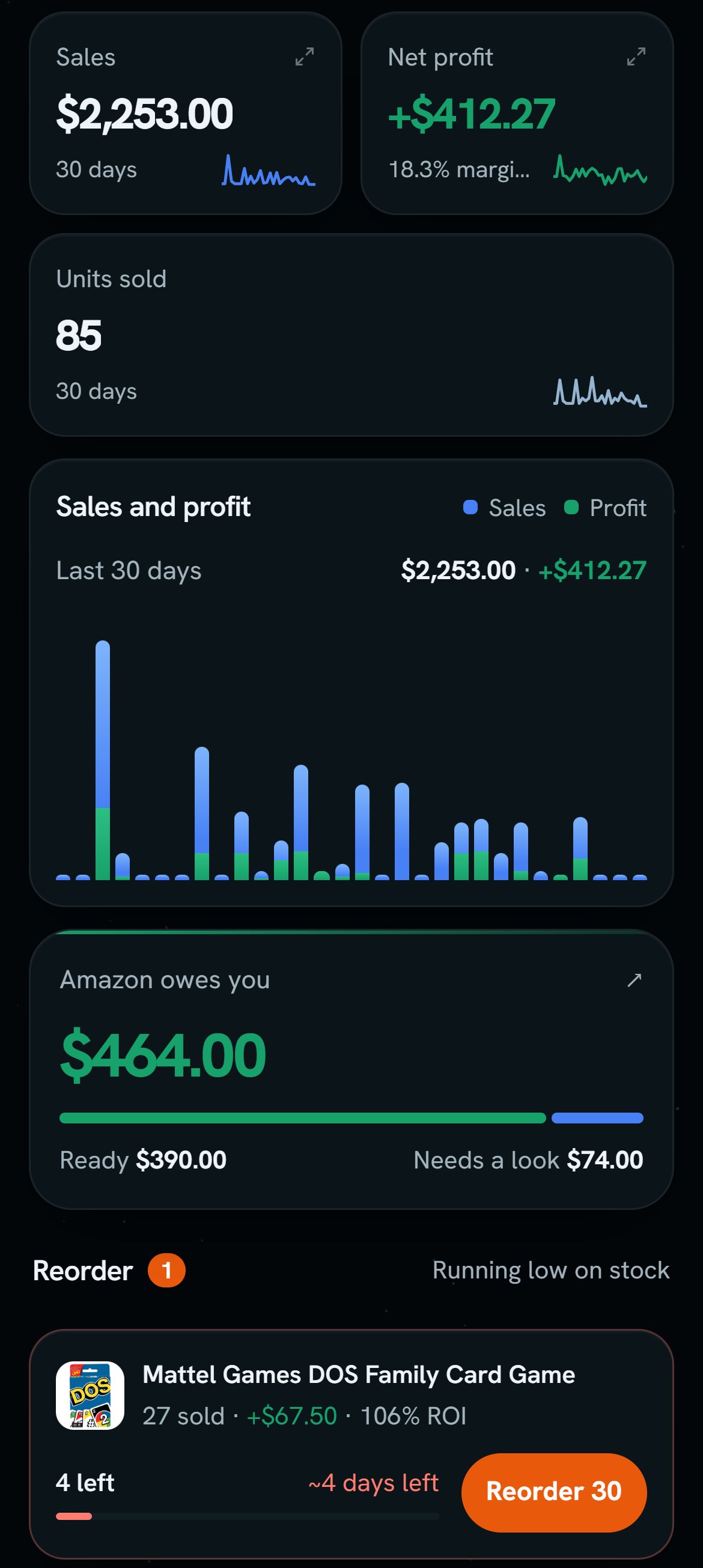
Demo login: the phone Desk, from its cards down. Notice the chart's legend says Profit, and the money card says Ready.
More details
The top
The top
Search opens the same list as the website’s search. The pill beside it shows your band, like Good. 7D, 30D, 90D, and Custom pick the days. The Desk opens on the days you left.
Sales, Net profit, and Units sold
Sales, Net profit, and Units sold
Tap Sales or Net profit to open a sheet. It has Daily avg, Units, and Best day, then how it compares with the period before. Open Sales or Open profit report goes to the full page.Under the cards is the chart. Tap a bar to pick a day. The legend here says Profit, not Net profit.
Amazon owes you
Amazon owes you
Say Ready is $40.00 and Needs a look is $12.00. The card says $52.00. It always shows today. Tap it to open File claims. With no money to show, the card is gone.
Reorder
Reorder
A row shows the product’s photo, what it sold, and how long your stock will last, like “4 left” and “~4 days left”.Reorder 30 opens Record Purchase with 30 filled in. Nothing is bought until you save. After you save, the row says Added. View all shows when there are more than 4.
Open alerts
Open alerts
It’s the same card as on the website. Each job shows its count, and a tap opens Alerts.
What the website has, and the phone doesn't
What the website has, and the phone doesn't
The phone leaves off the +11% tag on the cards, and it has no Capital at work card. It never asks you to install the Chrome extension.