

In short
Restock reminders tell you when to buy more. They start on, at 10% left, for profitable products only. Say you bought 40 blenders, and 8 are left. 10% of 40 is 4, so you get a reminder when 4 or fewer are left. 8 left is 20%, so no reminder yet.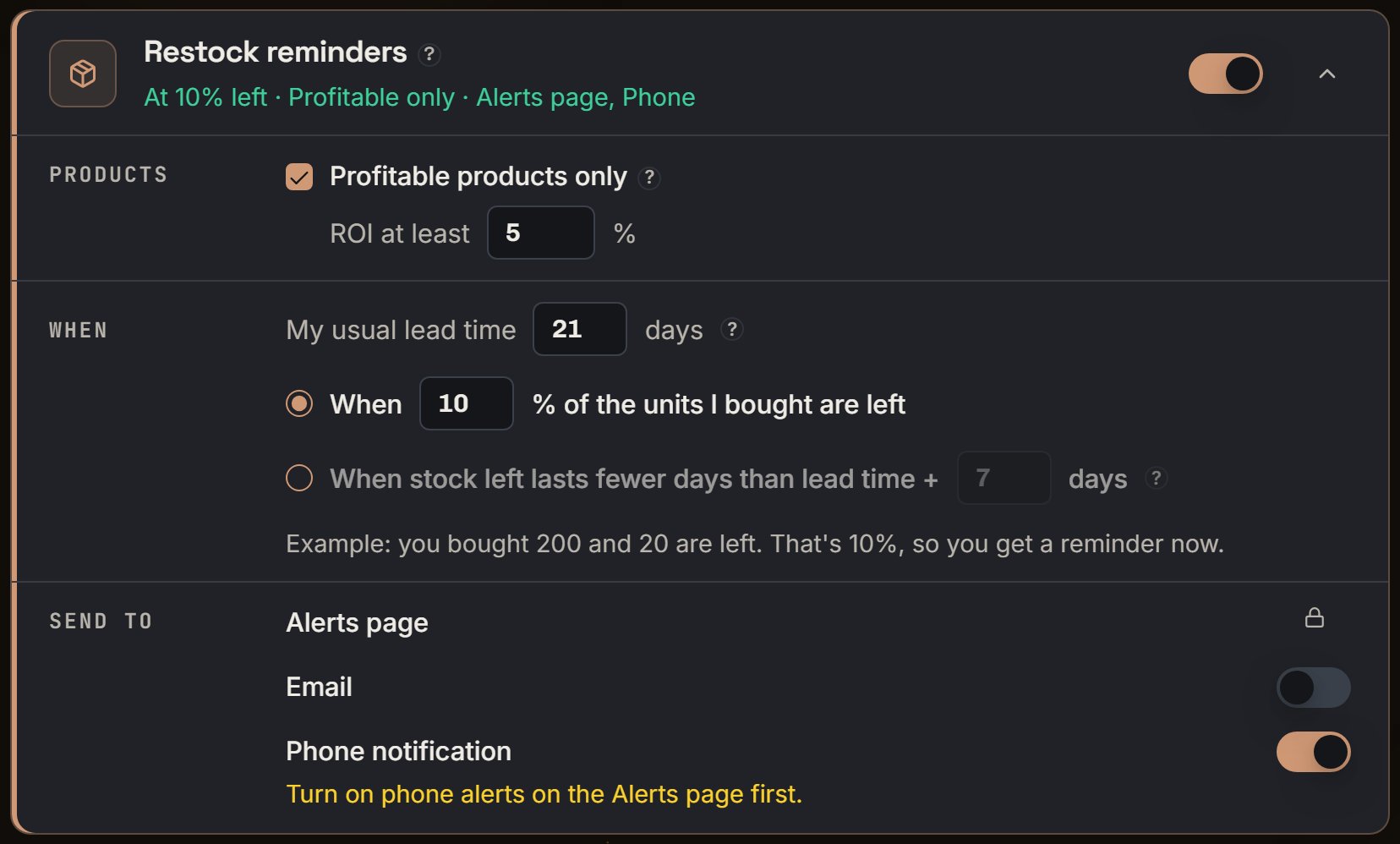
Demo login: the same card, open. Notice ROI at least 5, lead time 21 days, and When 10% of the units I bought are left.
More details
Products
Products
Profitable products only starts checked. ROI at least starts at 5. A product at exactly 5% still gets a reminder. With the box checked, a product with no ROI yet gets none. Uncheck it, and every product can get one.A product that sold fewer than 3 in 30 days never gets a reminder. Neither does a batch that started fewer than 7 days ago.
When
When
By percent: When “10” % of the units I bought are left. You can set 1 to 99.By days: When stock left lasts fewer days than lead time + “7” days. My usual lead time starts at 21 days, and it’s how long a new order takes to go on sale at Amazon.Say the blender sold 12 in 30 days, so 0.4 a day. 8 left last 20 days, and 21 plus 7 is 28. 20 is under 28, so you get a reminder now.Lead time runs from 1 to 180 days, the extra days from 0 to 60, and the ROI box from 0 to 1000.
Suggested order
Suggested order
It’s about 30 days of sales after the box arrives, less what will still be left then. It’s rounded up to the next 5, and it’s never under 5.Your 8 sell out before the 21 days of lead time end, so none are left. 30 days of sales is 12, and 12 rounds up to 15.
Send to
Send to
Alerts page is always on. Email starts off. Phone notification starts on.If Email is on but your optional emails are off, the card says no reminder emails go out. If Phone notification is on but phone alerts are off, it says to turn on phone alerts on the Alerts page first.
Turn it off, for one product or all
Turn it off, for one product or all
On a product’s Reorder window, press Don’t remind me. The product then sits under Products you turned off. Remind me again puts it back.Turn the card off, and your choices stay saved. Nothing is sent, and the status says Off.The same list is the Reorder soon filter in Capital Recovery.