

In short
Say you pay $30 a month for a repricing tool. In the add row, leave Monthly on, type “Repricing tool” and 30.00, pick the day, and click Add. A message says Expense added, with Undo.
Demo store: the add row, before you type. Notice it starts on Monthly, the amount ends in /mo, and a date box, which starts on today.
More details
Step by step
Step by step
1
Pick how often
Pick One-time, Weekly, Every 2 weeks, Monthly, Every 3 months, or Yearly. It starts on Monthly.
2
Name it and type the amount
For example, “Repricing tool” and 30.00.
3
Pick the day
For a repeating cost, the start date. For a one-time cost, the day it was charged. It starts on today, and you can pick a day still ahead.
4
Add it
Click Add, or press Enter. The page shows the new expense’s month.
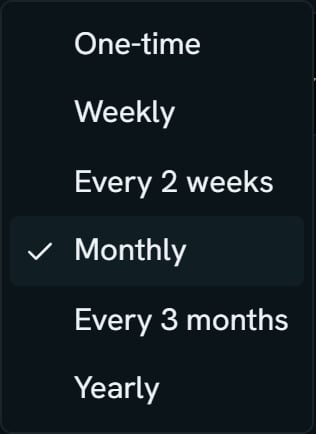
Demo store: the first box of the add row, opened. Notice the six choices, with Monthly ticked.
When Add stays gray
When Add stays gray
Add stays gray until the name and the amount can both be saved.
- A name is 1 to 200 characters.
- An amount can start with $ and can have commas, with at most two decimal places.
- An amount must be more than $0.00 and at most $1,000,000.00.
- A day runs from January 1, 2000 through December 31, 2100.
Spread a cost over its days
Spread a cost over its days
Turn on Amortize daily to spread a cost evenly over the days it pays for, instead of counting it all on the day it’s charged.Say you pay $70 for a tool every week. With it off, all $70 counts on the day you’re charged. With it on, $10 counts each day of the week.For a one-time cost, a second day box shows for the last day it pays for, labeled Spread through in the editor. A one-time $40.00 spread from March 6 through March 9 is $10.00 a day.See Which day a charge counts.
Add one from Purchases
Add one from Purchases
Purchases has an Expenses drawer with this month’s expenses only. Click Add expense there. Its add row also asks for a Category, and its one-time day is named Date. The main Expenses page doesn’t ask for a category.