

In short
Account Health Rating is Amazon’s score for your account, from 0 to 1,000. SourceDock puts it in a band.
Say your score is 268. That’s Good, so the dot by Health in the menu is green. It’s gray before the first check.
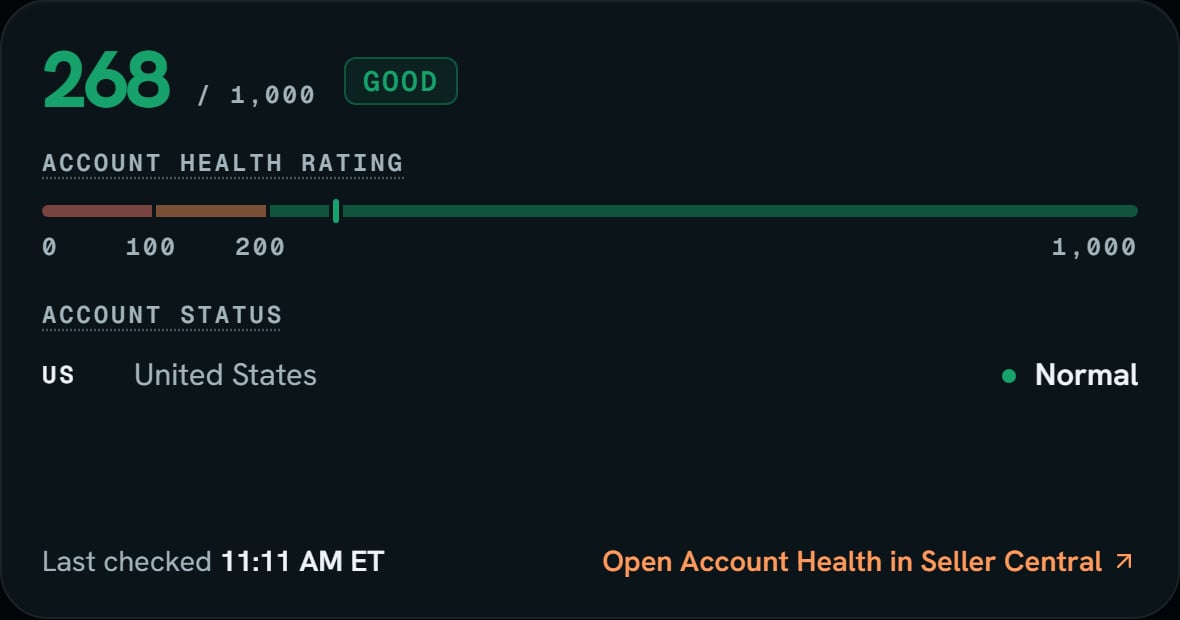
Demo store: the rating card. Notice the mark on the bar sits just past 200, in the green.
More details
The bar
The bar
The bar runs from 0 to 1,000, and the mark sits at your score. The ticks read 0, 100, 200, and 1,000. So a Good score sits a little way into the green.
The dot
The dot
The dot uses only this band. It doesn’t look at complaints or late orders, so a green dot can sit next to a red warning line. Read the line too. See Warnings and alerts.
No score
No score
If Amazon sends no score, the number and the bar hide. The line says Amazon didn’t send a rating. A missing score is never turned into 0.
Account status
Account status
One row for each marketplace Amazon sent, US first.
- Normal means Amazon lets you sell there.
- At risk means Amazon may stop the account there. It’s amber.
- Deactivated means you can’t sell there right now. It’s red.
Open it on Amazon
Open it on Amazon
Open Account Health in Seller Central opens Amazon’s own page in a new tab, on your store’s site.