

In short
This section holds orders that haven’t arrived, and counts that don’t match Amazon’s. Say you bought 20 blenders over 14 days ago, and you counted 12 in. A row says “8 units never arrived from the store”. Reconcile opens the Never arrived cards, one order at a time. The row leaves when those 8 are counted in or marked never arrived.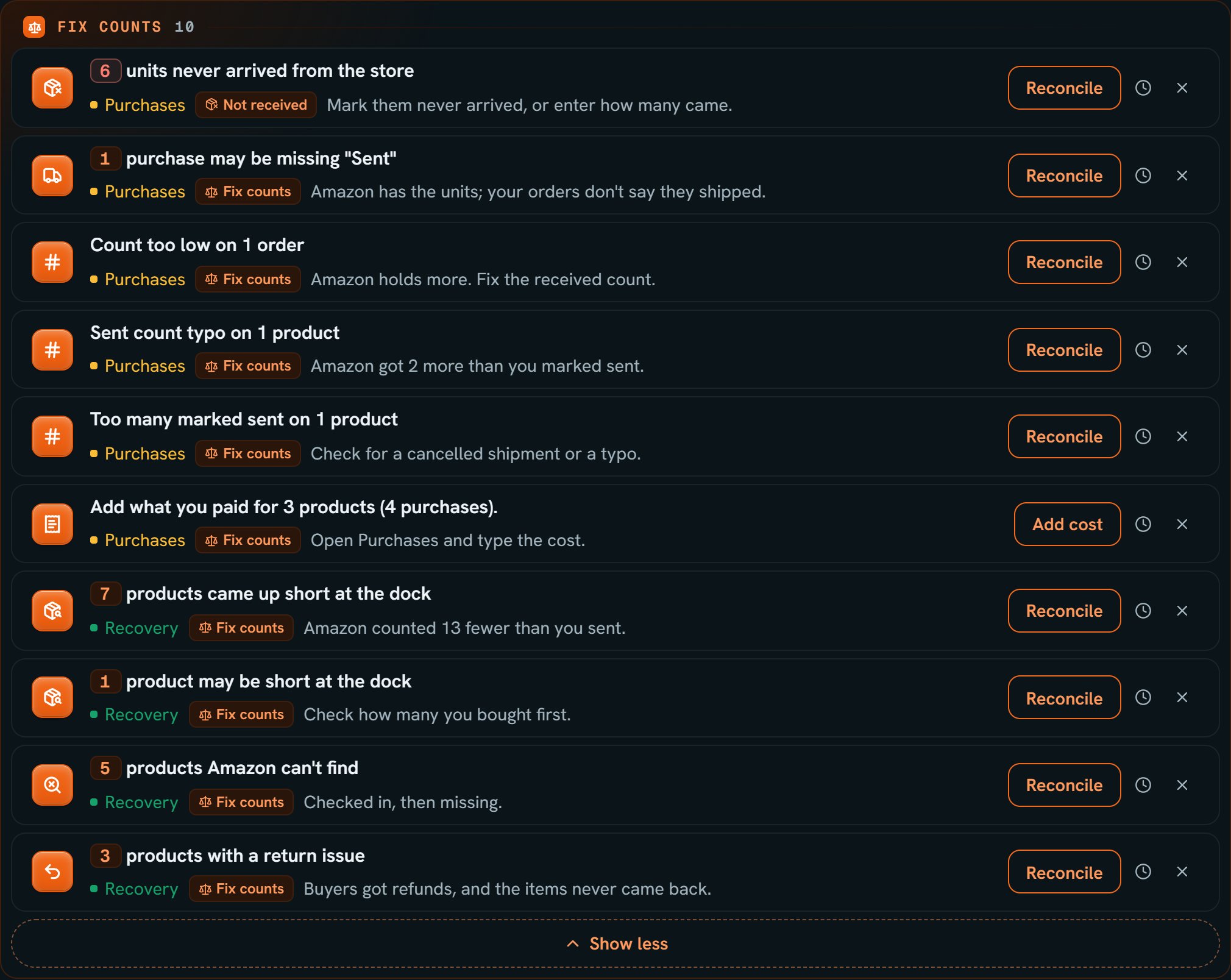
Bluey plane and Darn Tough socks: the Fix counts section, opened. Notice 6 units never arrived leads it, with a Reconcile button.
More details
Never arrived
Never arrived
Chip: Not received. “Mark them never arrived, or enter how many came.”An order younger than 14 days adds nothing, and neither does an imported order on the status the import gave it. Units Amazon’s books say it got are a count to fix instead.
Refund not received
Refund not received
“Refund not received: $64.00 from Toy Barn, cancelled Oct 10”, with Still counted as out. Mark the refund on Write-offs when it comes. You cancelled an order and said the refund hasn’t come yet.The row comes back each week, starting Monday (UTC), even if you hid it, until you answer.
SourceDock cancelled your order
SourceDock cancelled your order
“SourceDock cancelled your Oct 1 order of 6 × Red Hauler. Nothing from it was marked received or sent in 14 days. If it came or is still on its way, uncancel it.” It comes from the Auto-cancel purchases that never arrive switch. Open opens the order. It shows for 14 days, or until you answer the refund question, uncancel it, or edit it.
Rows about what you marked sent
Rows about what you marked sent
Count too low
Count too low
“Count too low on 1 order”, with Amazon holds more. Fix the received count. An order’s received count is under what Amazon holds. It leaves when the count catches up.
Add what you paid
Add what you paid
“Add what you paid for 1 product.”, with Open Purchases and type the cost. and Add cost. Purchases SourceDock made from Amazon’s records have no cost. A cancelled one is left out, and so is one where you said you don’t know the cost. A blank cost is never read as $0.
Sold more than you bought
Sold more than you bought
“1 product sold more than you bought.”, with Check the counts. and Review. Amazon used more units than your purchases hold. Check the quantities, or add the purchase that’s missing.
Short at the dock
Short at the dock
“1 product came up short at the dock”, with “Amazon counted 6 fewer than you sent.” A closed shipment came in short. Units Amazon paid for or denied come off that number. Open boxes don’t count.“1 product may be short at the dock”, with Check how many you bought first. No purchase backs this short. Check the purchase, and add it if it’s missing.
Amazon can't find, and returns
Amazon can't find, and returns
“1 product Amazon can’t find”, with Checked in, then missing. It isn’t a claim until Amazon logs a loss. The list can include units Amazon is still looking for.“1 product with a return issue”, with The buyer got a refund, and the item never came back.